Pathfinder: Wrath of the Righteous Custom Portraits
Last reviewed: 2026-06-17
Portrait specifications
| Size | Dimensions | File name | Format |
|---|---|---|---|
| Full Length | 692×1024 px | Fulllength.png | PNG |
| Medium | 330×432 px | Medium.png | PNG |
| Small | 185×242 px | Small.png | PNG |
- Example:
Carpeta: Seelah/ → Small.png, Medium.png, Fulllength.png
Before you start
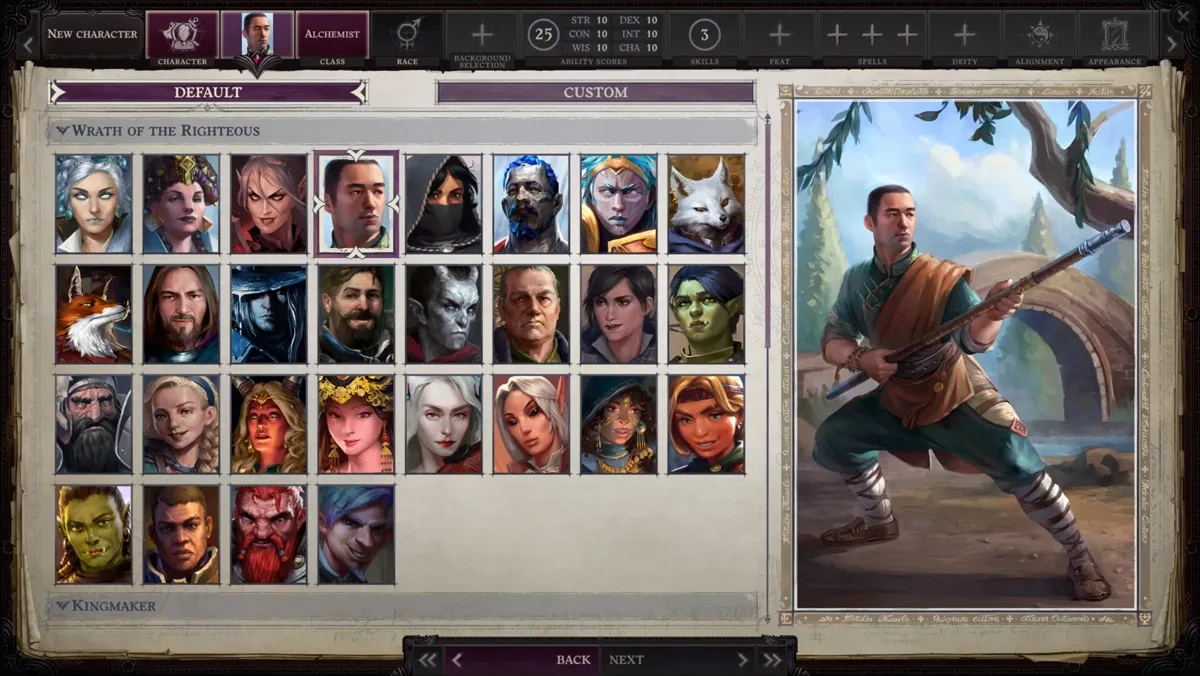
Pathfinder: Wrath of the Righteous uses the Owlcat portrait convention: three PNG files in a named subfolder under the Portraits directory. Each portrait lives in its own folder — the folder name becomes the portrait name shown in the game.
The easiest way to navigate to the portraits folder is to use the in-game "Open portraits folder" button, which opens the correct path directly.
Step-by-step installation
- Open PortraitCrafter and select Pathfinder: Wrath of the Righteous from the catalog.
- Upload your image and crop or fit it to the frame.
- Enter a portrait name (this becomes the folder name, for example
Seraphina). - Export the ZIP. It contains three files:
Small.png(185×242),Medium.png(330×432), andFulllength.png(692×1024). - In the game, go to Character Creation and click Open portraits folder. This opens the Portraits directory in your file manager.
- Inside the Portraits directory, create a new subfolder named
Seraphina(or whatever name you chose). - Copy the three PNG files into the
Seraphinasubfolder. - Return to the game. Your portrait appears in the portrait picker with the folder name as its label.
Changing a story companion's portrait
Story companions (Seelah, Camellia, Lann, etc.) cannot have their portraits changed in vanilla WotR. To do so, install the Companion Portrait Enabler mod or Toy Box. These mods create a πpcPortraits/<CompanionName>/ subfolder structure inside Portraits where you place the same three PNG files.
Troubleshooting
Portrait does not appear in the picker
Confirm the three files are inside a subfolder of the Portraits directory (not directly in Portraits itself). Also verify the file names are exactly Small.png, Medium.png, and Fulllength.png (case-sensitive on some systems).
Portrait looks cropped or distorted
The three images should have different aspect ratios. If you used the same image for all three without cropping to each size, the Medium and Fulllength images may look stretched. PortraitCrafter crops each size independently.
The "Open portraits folder" button is not visible
The button appears during Character Creation in the portrait selection panel. If you are already in a campaign, you can navigate to the path manually (see install paths above).