Tyranny Custom Portraits
Last reviewed: 2026-06-17
Portrait specifications
| Size | Dimensions | File name | Format |
|---|---|---|---|
| Large | 210×330 px | NAME_lg.png | PNG |
| Small | 76×96 px | NAME_sm.png | PNG |
- File names must be lowercase.
- Example:
fatebinder_lg.png, fatebinder_sm.png
Before you start
Tyranny is close to Pillars of Eternity in its portrait system — two PNG files with _lg and _sm suffixes — but with an important difference in folder location. Portraits go inside the game installation directory under Tyranny_Data, not in Documents\Paradox Interactive\Tyranny. That Documents folder holds save files and configuration only.
There is no _convo file in Tyranny. The companion portrait path is also different from the player path.
Step-by-step installation
- Open PortraitCrafter and select Tyranny from the catalog.
- Upload your image and crop or fit it to the frame.
- Enter a lowercase base name (for example
fatebinder). - Export the ZIP. It contains
fatebinder_lg.png(210×330) andfatebinder_sm.png(76×96). - Navigate to the correct portraits subfolder inside the installation:
- Player portraits:
<install>\Tyranny_Data\data\art\gui\portraits\player\male\orfemale\ - Companion portraits:
<install>\Tyranny_Data\data\art\gui\portraits\companion\
- Player portraits:
- Copy both PNG files into the appropriate subfolder.
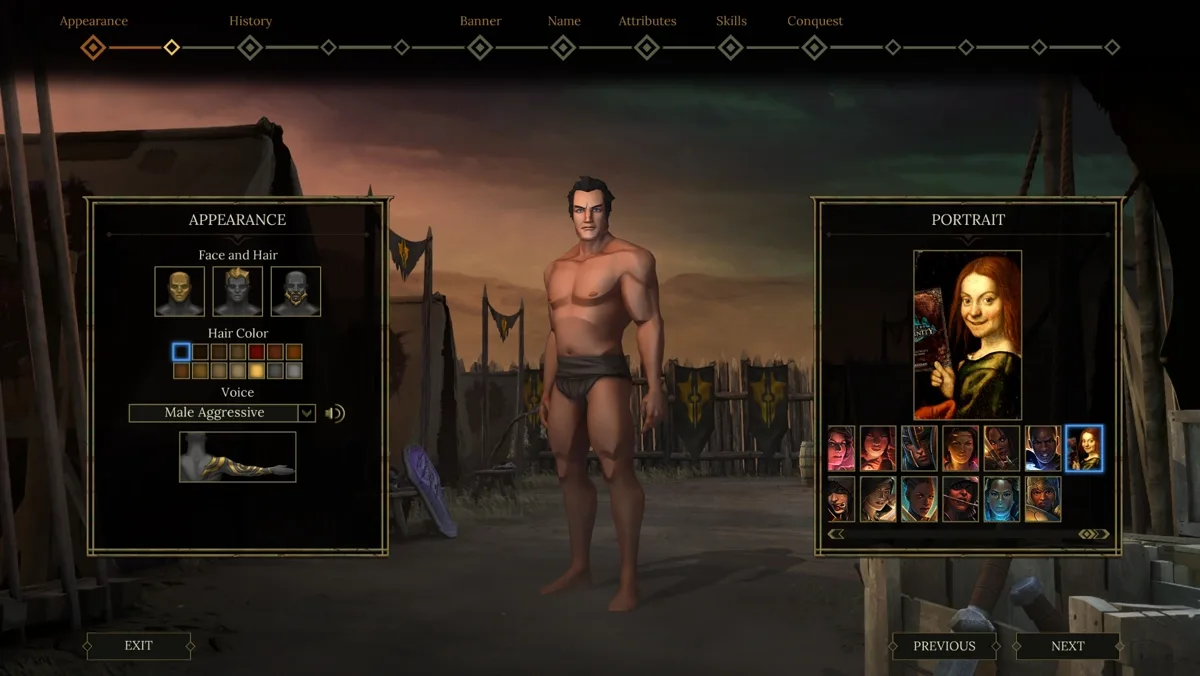
- Launch the game. The portrait appears in character creation.
Troubleshooting
Portrait does not appear in the selection list
The most common cause is placing the files in the wrong folder. Confirm the path includes Tyranny_Data\data\art\gui\portraits\player\ — not the Documents or Paradox folders.
Small portrait looks wrong in the party bar
Some older guides list 79×96 for the small portrait. The correct value confirmed by multiple sources is 76×96, which is what PortraitCrafter exports. If you created files manually with wrong dimensions, re-export.
Companion portrait does not show up
Companion portraits require the companion\ subfolder, not player\. Move the files to ...\\portraits\\companion\\ inside the installation directory.