Neverwinter Nights 2 Custom Portraits
Last reviewed: 2026-06-17
Portrait specifications
| Size | Dimensions | File name | Format |
|---|---|---|---|
| Portrait | 128×128 px | NAME.tga | TGA |
- Example:
myportrait.tga (128×128, un solo archivo)
Before you start
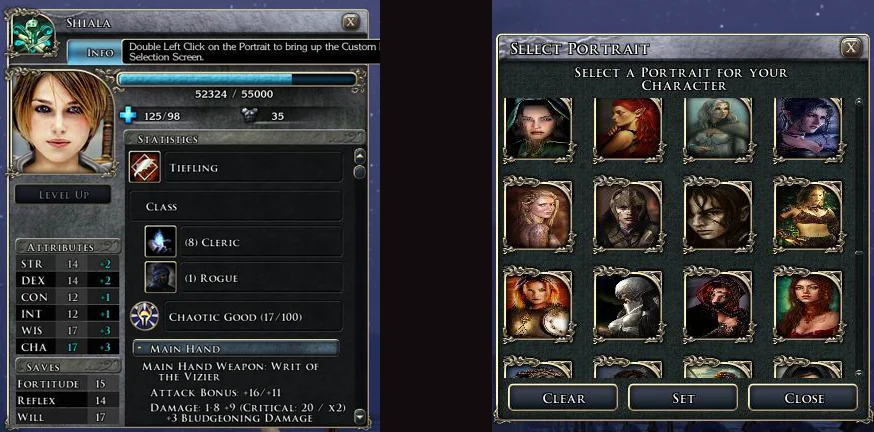
Neverwinter Nights 2 is simpler than NWN1 for portraits: you only need one TGA file per portrait — 128×128, 24-bit, no RLE compression. There are no size suffixes; the file name is the portrait name.
Critical caveat: avoid file names that match any internal game asset. A reported case shows fern.tga silently replaced plant textures in the game world. Always use a unique prefix (e.g. your initials + underscore: jd_hero.tga).
Step-by-step installation
- Open PortraitCrafter and select Neverwinter Nights 2 from the catalog.
- Upload your image. The editor crops to 128×128.
- Enter a unique file name with a personal prefix (for example
jd_hero). Avoid names that could match game assets. - Export the file. You get a single
<NAME>.tga(128×128, 24-bit, uncompressed). - Navigate to
Documents\Neverwinter Nights 2\portraits\. Create the folder if it does not exist. - Copy the TGA file into the portraits folder.
- Launch NWN2. The portrait appears in the character creation screen.
Troubleshooting
Portrait does not appear in the list
Confirm the TGA is in Documents\Neverwinter Nights 2\portraits\ (not in the game installation folder). Also verify the file is uncompressed TGA — RLE-compressed files are not loaded.
Game textures look wrong after adding a portrait
Your portrait file name collides with an internal game asset. Rename your portrait file with a unique prefix and re-copy it to the portraits folder.
Portrait appears but looks distorted
The TGA should be exactly 128×128. If you exported from another tool at a different resolution, re-export from PortraitCrafter which produces the correct 128×128 dimensions.
What we could not confirm
- NWN2 has no native macOS or Linux port. A NWN2:EE (Aspyr) released 2025-07-15 whose non-Windows portrait paths were not confirmed in this research cycle.
- The exact character limit for portrait file names in NWN2 was not confirmed in this cycle; use short descriptive names to be safe.